
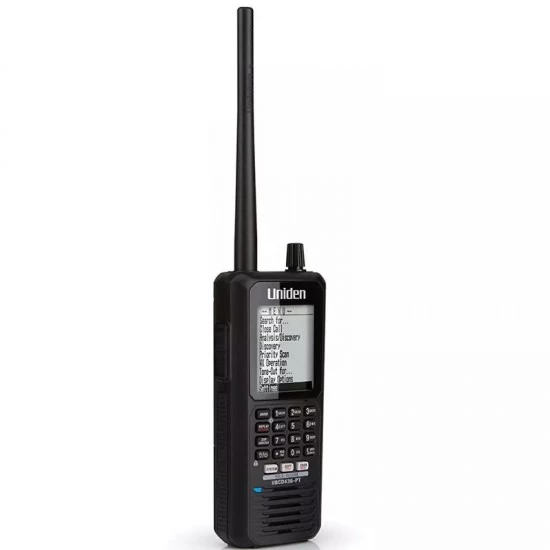
- Model: UBCD436-PT

UNIDEN UBCD436PT CFA DIGITAL SCANNER
The UBCD436PT is a highly engineered digital scanner with pre-programmed channels. It scans APCO 25 Phase 1 and Phase 2, Motorola, EDACS and LTR trunked systems, as well as conventional analog. This flexible scanner will suit your everyday needs and maximising your capabilities wherever you go.
Specifically designed for the Victorian Emergency Services Organisation, the Country Fire Authority (CFA), the UBCD436-PT features "Close Call RF Capture Technology" which automatically "Listens" for any nearby or "close" transmissions and once they occur, the scanner immediately tunes in to this frequency. Ideal for use at events or locations when the transmission is unknown, The UBCD436T is a state-of-the-art digital scanner radio with TrunkTracker V and automatic scanning.
The Uniden UBCD436-PT TruckTracker V digital handheld scanner offers state-of-the-art features ensuring it meets the specific and technical requirements of the CFA brigade. The intuitive UBCD436-PT is designed to be future-proof. It will be compatible with new developments in the CFA’s radios, including transition to P25 Phase 2.
The easy-to-use digital handheld scanner iis the preferred choice for CFA and Department of Environment, Land, Water & Planning (DELWP) radio channel plan, with the added benefit of receiving analogue and digital radio traffic.
***************************************************************************************************************
CFA Programming Included on SD Card
Please read our accessing CFA channel Tab on how to access these channels on your SD card.
Latest Firmware Version 1.23.02
Features
Quick Key System Access
PC Programming
Instant Replay
Alpha Tagging
Backlit Keypad & LCD
Trunk Tracker V Operation
Close Call™ RF Capture Technology
Favourites Scan
Box includes:
1 x UBCD436-PT
1 x USB Connection/Charge Cable
3 x AA NiMH Rechargeable Batteries
1 X AC Adaptor
1 x Cigarette Lighter Power Adaptor
1 x microSD card (installed)
1 x Swivel Belt Clip
1 x SMA-BNC Antenna Adaptor
1 x Rubber Antenna
CFA District Locations and District Numbers List
How to enter CFA Regions to Scan
Start Scanner as normal
Select your region
Example - listen to region 8 – press 8 yes . The scanner will scan all the regular region 8 channels including Fireground TGIDS Multi agency simplex fireground.
If you then want to listen to region 13 , Press 8 yes to remove region 8 from the scan. Then press 13 yes to bring region 13 into the scan
Loading up all regions is not advised as it slows the scanner down to an unusable level
Please read the condensed manual with instructions on how to use quick keys and menus